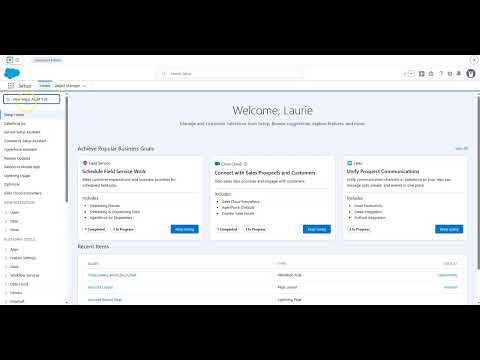

Automate Your Invoicing: How Salesforce Triggers Billing Notifications When Deals Close
Understanding the Closed Won Invoice Notification Feature
This Salesforce automation bridges the gap between your Sales and Billing teams through intelligent, instant communication. Here is how it works: when a sales rep changes an Opportunity Stage to Closed Won, Salesforce immediately springs into action.
A Record-Triggered Flow monitors your Opportunities for status changes. The moment it detects a Closed Won status, it fires off an email alert to your Billing team. This email alert uses a pre-built template that automatically pulls in critical Opportunity details like the deal name, amount, and close date. No copy-pasting, no manual data entry, just clean automation.
The best part? This entire system operates in the background. Your sales team clicks one button to mark a deal as won, and your Billing team receives a professionally formatted notification with everything they need to start invoicing. It is that simple.
Key Capabilities That Drive Real Business Impact
Manual billing processes create bottlenecks that directly impact your bottom line. This automation addresses those pain points head-on with capabilities designed to accelerate revenue collection and improve accuracy.
Eliminate Communication Delays: The days of sales reps remembering to email Billing are over. Salesforce handles the notification instantly and consistently, every single time a deal closes.
Prevent Revenue Leakage: When deals fall through the cracks, your company loses money. Automated notifications ensure that every Closed Won opportunity gets invoiced promptly, protecting your revenue stream.
Reduce Manual Errors: By pulling Opportunity details directly from Salesforce records, the system eliminates transcription errors that often occur when information passes between teams through manual channels.
Speed Up Cash Flow: Faster invoicing means faster payment. When your Billing team receives instant notifications, they can generate and send invoices immediately, reducing the time between deal closure and revenue collection.
Create Audit Trails: Every automated notification creates a record, giving your organization visibility into when deals are closed and when Billing is notified. This transparency supports better financial reporting and accountability.
Ready to transform your billing process?
Real-World Application: See It in Action
Picture this scenario: A consulting firm has been working on closing a major enterprise client. After months of negotiations, the sales rep finally gets the green light. She logs into Salesforce and updates the Opportunity Stage to Closed Won for a $500,000 deal.
Within seconds, without any additional action from the sales rep, Salesforce sends an email to the Billing team. The email contains the client name, the deal amount, the close date, and any other relevant details the Billing team needs. They can immediately begin preparing the invoice and sending it to the client.
This automation transforms what used to be a multi-step, multi-day process into an instant handoff. The sales rep moves on to the next opportunity. The Billing team has everything they need. The client receives their invoice faster. Everyone wins.
Who Benefits From This Automation?
This feature delivers value across your entire organization, making it a smart investment for teams of all sizes.
Sales Teams can focus entirely on what they do best: closing deals. They no longer need to remember to notify Billing, fill out separate forms, or worry about whether the information got through. One click to Closed Won, and they are done.
Billing and Finance Teams receive instant, accurate details needed to generate invoices. No more chasing down sales reps for information or digging through email threads to find deal details. Everything arrives in a standardized format, ready to process.
Salesforce Admins appreciate the simplicity of this no-code automation. Set up flows once, and they run reliably without ongoing maintenance. This frees up admin time for more strategic projects while still delivering significant business value.
Managers gain confidence in faster revenue recognition and can track billing efficiency more accurately. The automation creates consistency across all deals, making it easier to forecast revenue and identify any bottlenecks in the invoicing process.
Technical Details and Availability
This automation leverages two core Salesforce features: Record-Triggered Flow and email alerts. Both are available in Enterprise, Unlimited, Developer, and Performance Editions of Salesforce, making this solution accessible to most organizations using the platform.
The beauty of this approach is its flexibility. You can customize the email template to match your organization's communication style, add additional recipients as your team grows, or include extra Opportunity fields if your Billing team needs more information. The framework adapts to your needs.
Take the Next Step
Implementing this automation is easier than you might think. Our video tutorial breaks down each component into manageable steps, showing you exactly how to set up flows, configure email alerts, and test your automation to ensure it works perfectly.
Want hands-on support?
Get 2 free Salesforce licenses and a complete setup guide here. These resources will help you implement this automation quickly and start seeing results.
Additional Resources
To deepen your understanding of Salesforce automation and maximize the value of your implementation, explore these helpful resources:
About Laurie
Laurie is a certified Salesforce Professional | Content Specialist | Designer with expertise in designing dynamic page layouts, managing user accounts, creating reports and dashboards, landing pages, and conducting thorough usability testing. With a background in UX and graphic design helps Laurie build solutions that are intuitive, creative, and user-friendly. Graduated with a degree in Marketing from Georgia State University.
Certifications: Salesforce Certified Platform Administrator, Salesforce Certified Platform Strategy Designer, Salesforce Certified Platform User Experience Designer, Salesforce Certified Business Analyst, Salesforce Certified Marketing Cloud Email Specialist, Salesforce Certified Experience Cloud Consultant, Salesforce Certified AI Associate, Salesforce Certified Agentforce Specialist
Trailhead: View Laurie’s Trailhead Journey
Linkedin: Connect with Laurie on Linkedin